
Manage Course Session
Training Session Management for Enterprise Learning
OVERVIEW
Manage Course Session is a session-management system designed for large-scale training programs. The previous experience made scheduling unpredictable and difficult to maintain at scale, creating friction for administrators who needed clearer visibility and greater flexibility.
MY ROLE
As the lead product designer, I redesigned the workflow—clarifying scheduling behaviors, improving roster flexibility, and modernizing navigation. I focused on creating a more intuitive, scalable system that reduces administrative strain and supports complex training operations.
MY ROLE
Product Designer
SKILLS
User Research & Testing
Information Architecture
Wireframing & Prototyping
High-Fidelity Wireframing
TEAM
Product Manager
UX Team Lead
Engineering Team
TIMELINE
November 2024 - September 2025
OVERVIEW
Why a Redesign Was Needed
Paycom’s enterprise clients operated training programs at a scale and complexity the original Manage Course Session system wasn’t designed for. As session volume, variability, and operational demands increased, workflows that once supported smaller sessions began breaking down. Administrators needed more clarity, flexibility, and predictability to confidently manage multi-day training programs. These limitations made a redesign essential to modernize the scheduling model and support enterprise-level operations.
CHALLENGES
Complex Scheduling, Constant Friction
The existing tool was built for simplicity rather than scale. While the system worked for smaller teams, its workflow didn’t translate to enterprise-level demands. Key tasks were fragmented across multiple screens, often forcing users to backtrack and repeat actions.
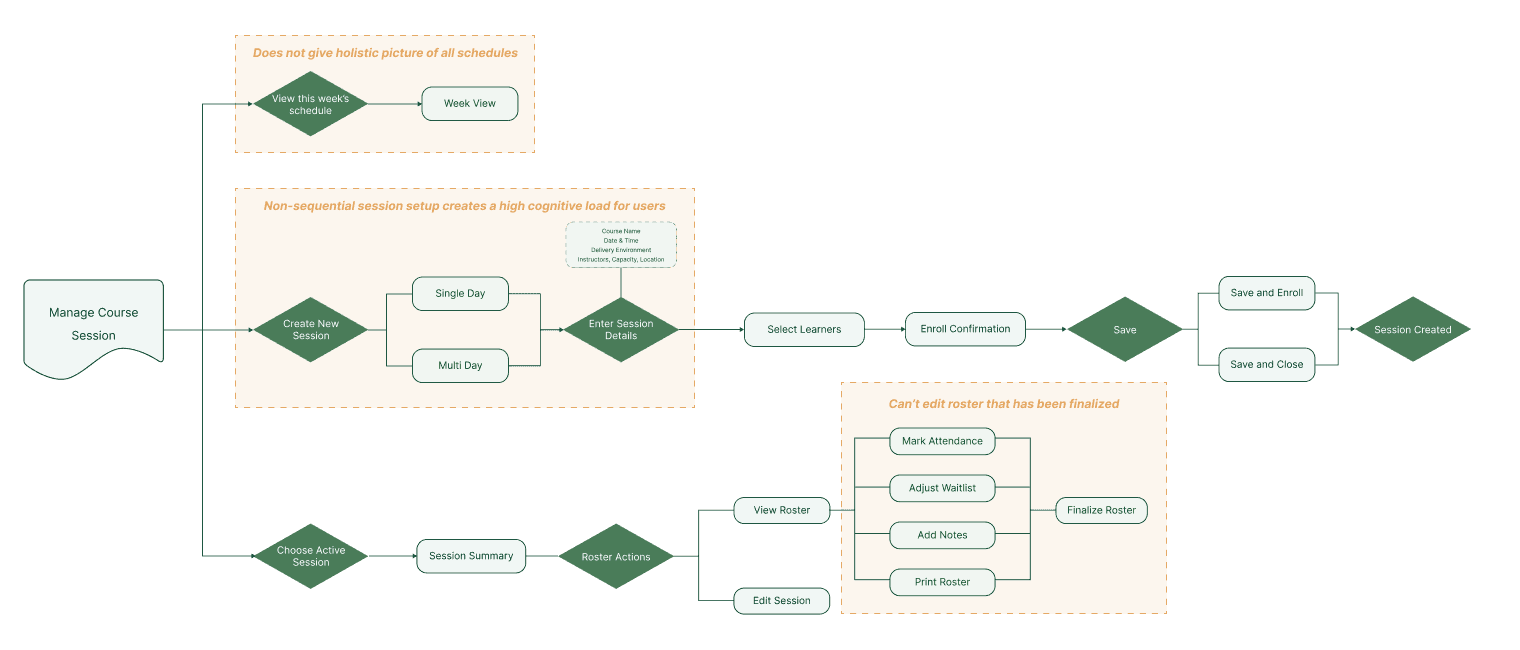
Current state workflow for session creation and roster management
SUCCESS METRICS
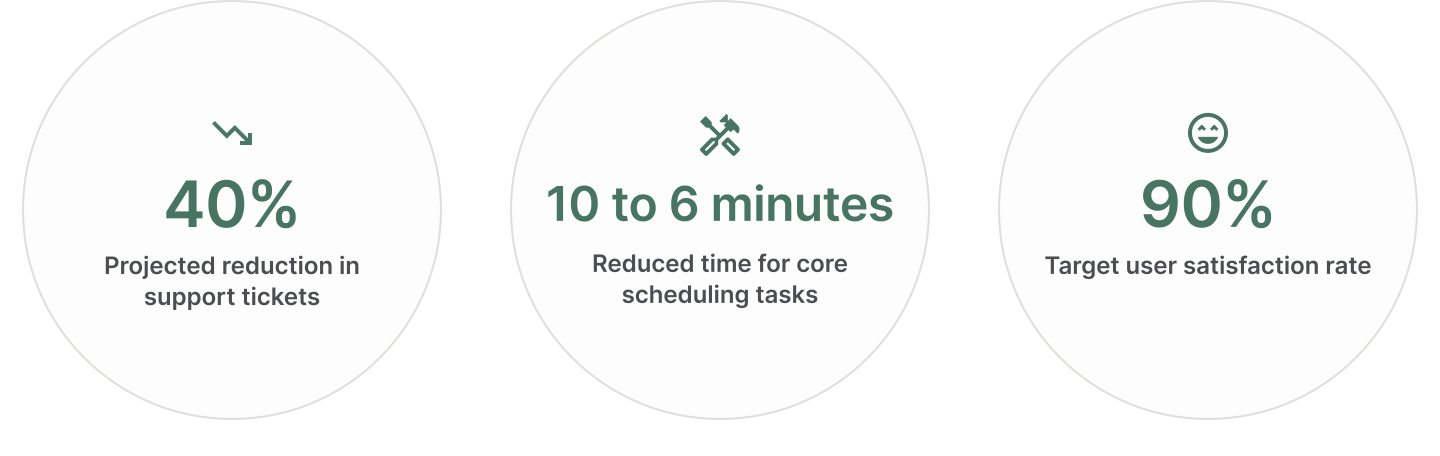
target Outcome
The redesigned session management experience focuses on improving visibility across sessions, reducing setup friction, and strengthening users’ confidence. The following target outcomes will be used to evaluate the redesign once adoption increases and sufficient usage data has accumulated.
RESEARCH
Uncovering Systematic Gaps
To uncover the root causes of administrator frustration, I conducted a comprehensive analysis of the existing system. This included reviewing over 50 support tickets to identify recurring issues, auditing 47 workflows to map current processes, and benchmarking against leading platforms like Docebo and Vedamo to establish industry standards.
KEY FINDINGS
By analyzing the current experience through persona development and user journey mapping, I identified three critical pain points affecting administrator efficiency:
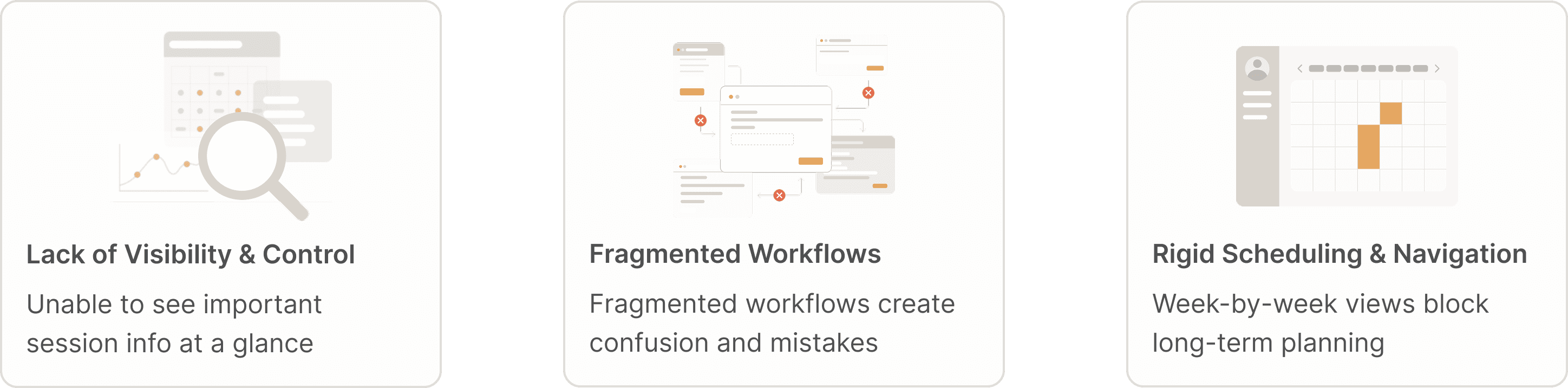
These findings underscored the need for a unified dashboard that could bring together fragmented workflows, surface real-time insights, and support quick decision-making. Rather than adding more tools or views, the goal was to simplify the experience while keeping it powerful for administrators. This led to the guiding question:
How might we streamline complex training workflows into a single, intuitive experience that gives administrators clarity and control—without adding new layers of complexity?
DESIGN STRATEGY
From Insight to Intent
Synthesizing research insights into a clear direction, I defined three design principles that guided every design decision.
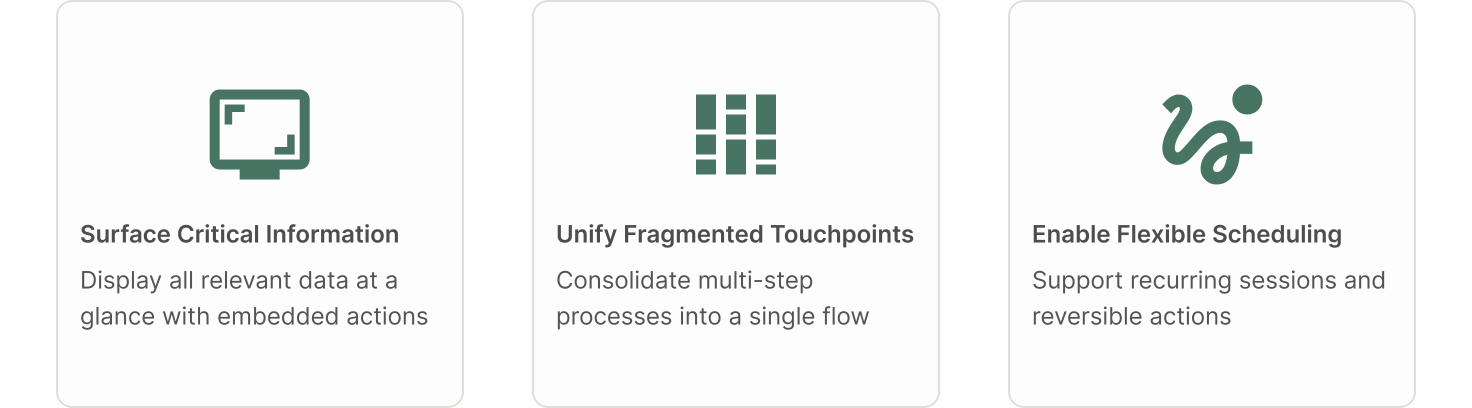
The core design principles shaped my approach to reimagining the user experience. Rather than fixing surface-level issues, I reorganized information and actions to align with administrators’ workflows and mental models—ensuring the system adapted to their needs instead of forcing them to adapt to it. I validated these principles through a small round of usability testing with external administrators and internal specialists, whose feedback on inline actions and bulk operations directly informed the solution.
SOLUTION
Bringing Strategy to Life
Building on the research findings around visibility issues, workflow fragmentation, and scheduling limitations, I developed three targeted solutions that directly implement the strategic goals of surfacing critical information, streamlining workflows, and enabling scalable scheduling.

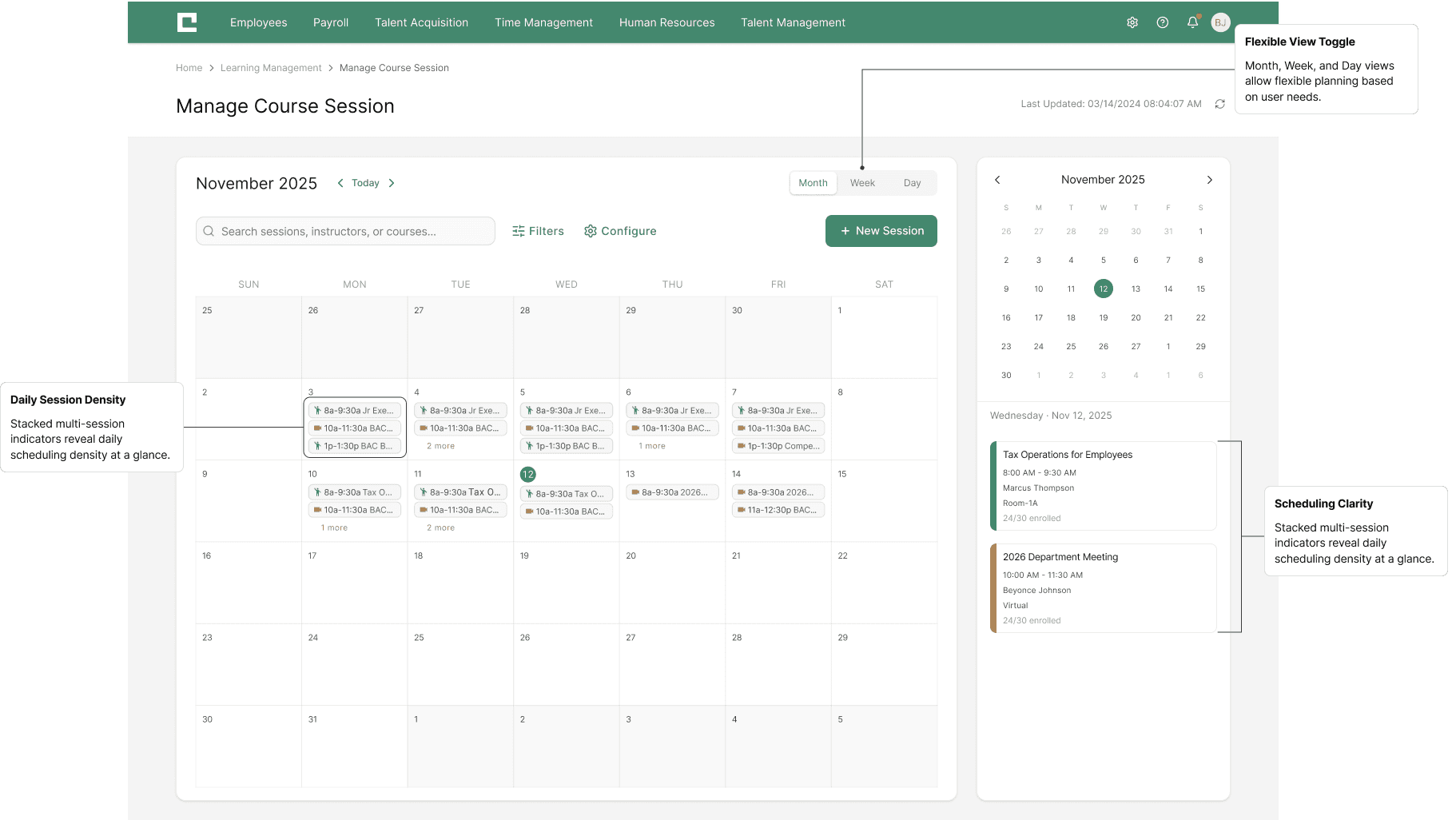
A unified landing page that presents session schedules across various time spans — daily, weekly, and monthly — and provides quick access to detailed session information, such as name, time, date, and location, with seamless navigation to the roster — all in one cohesive interface.

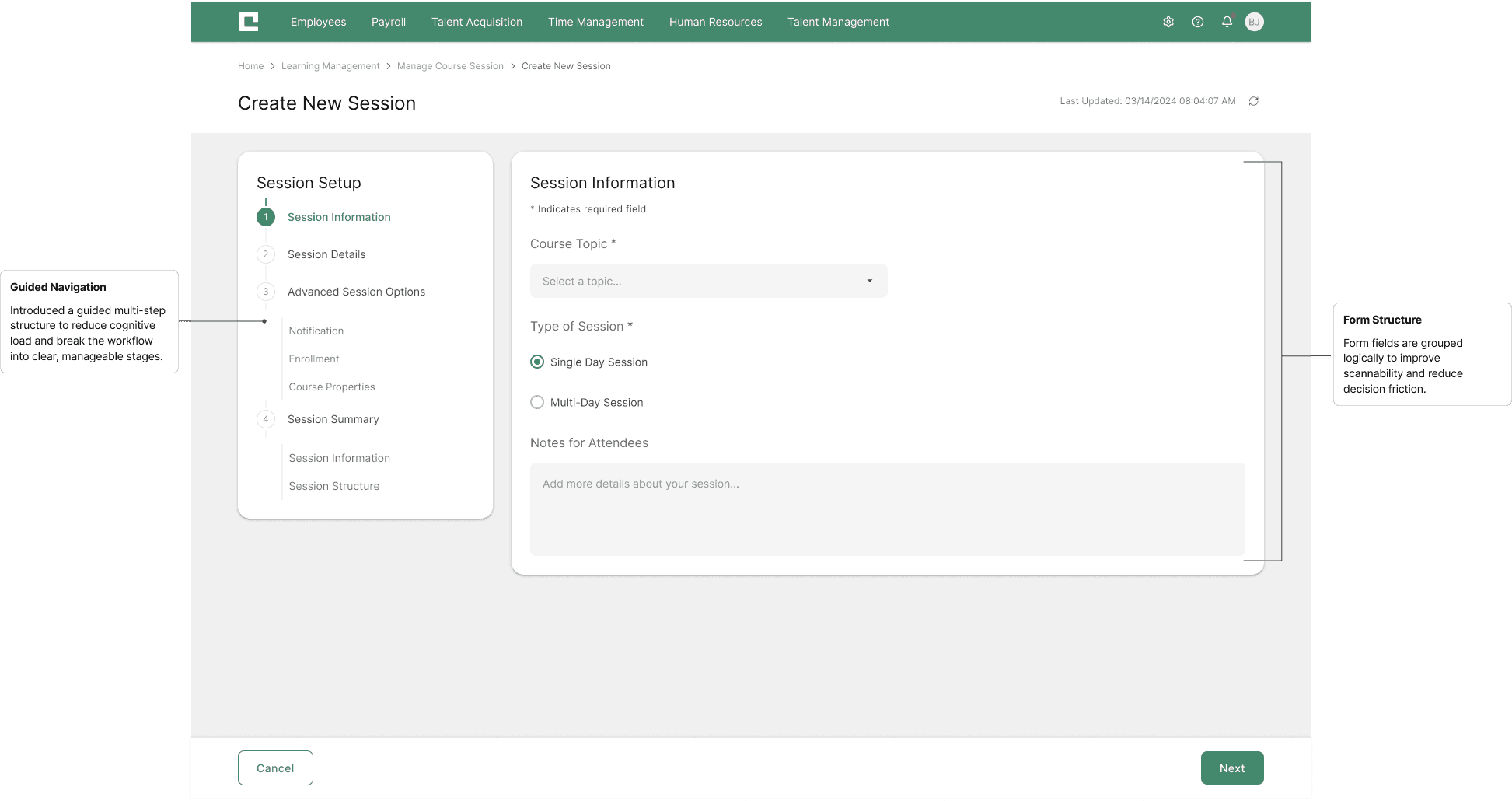
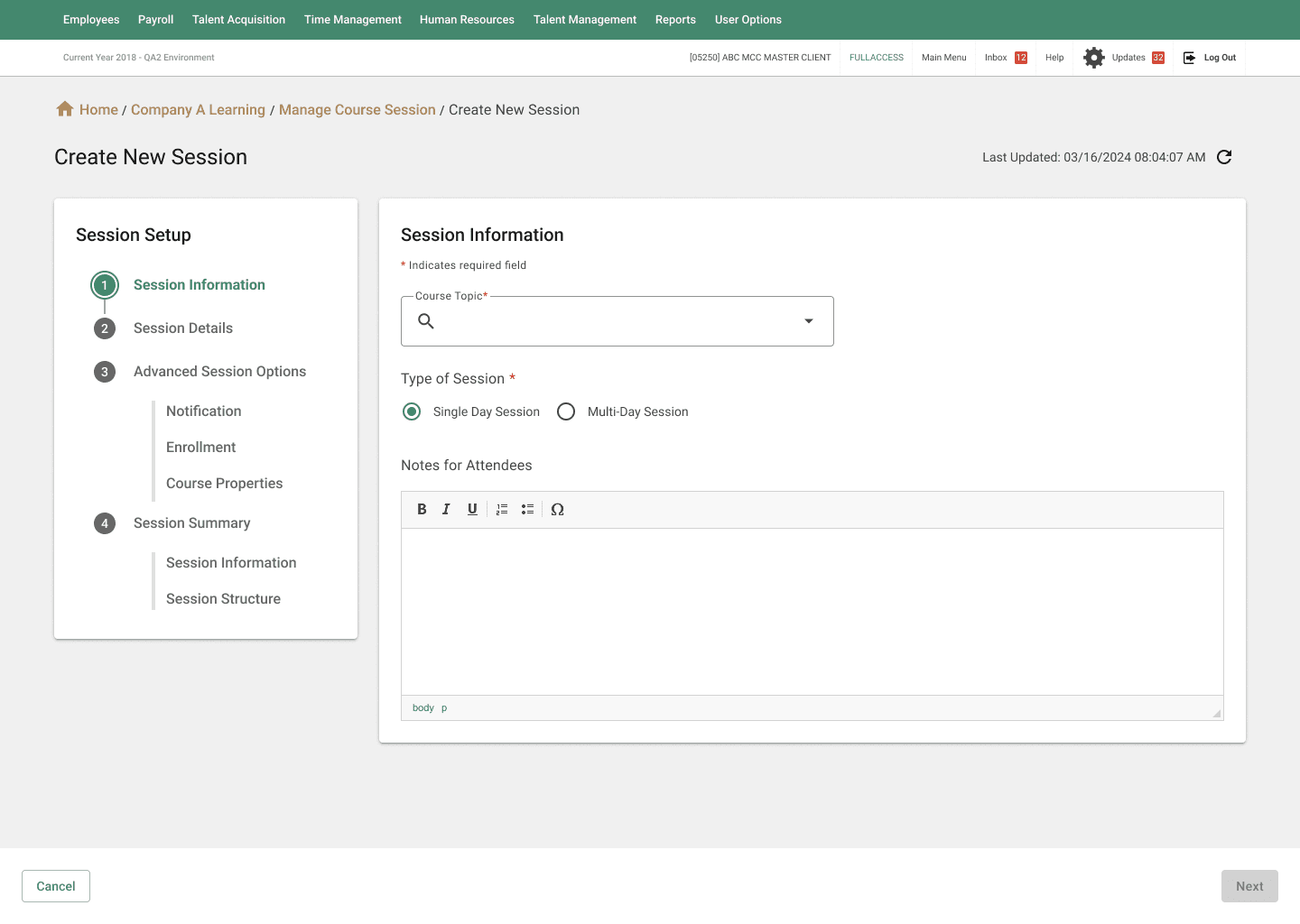
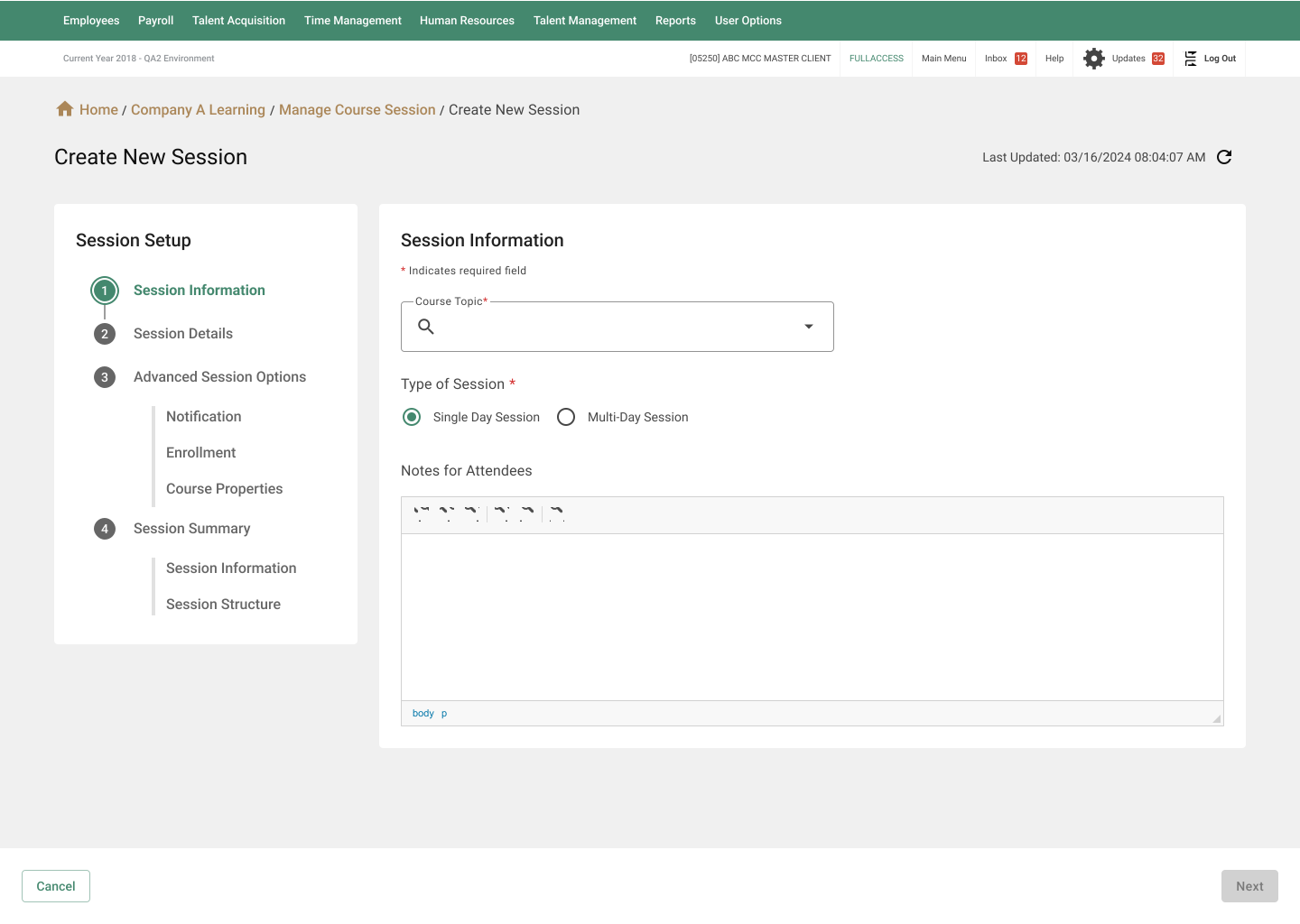
A streamlined session creation flow that allows trainers to set up training sessions efficiently — defining key details such as name, date, time, and capacity — and enabling quick access for trainers to register sessions through a clear, intuitive interface.

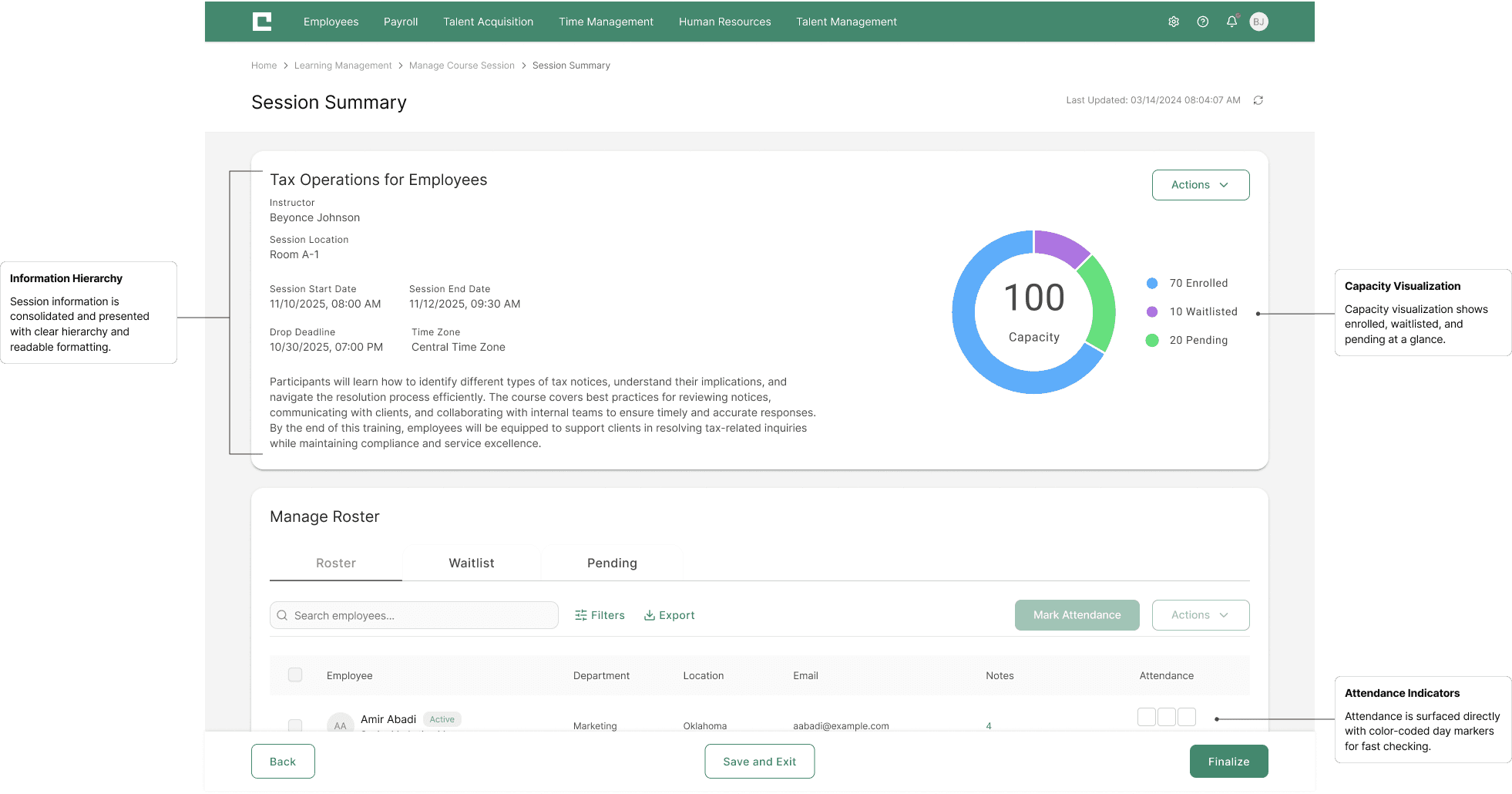
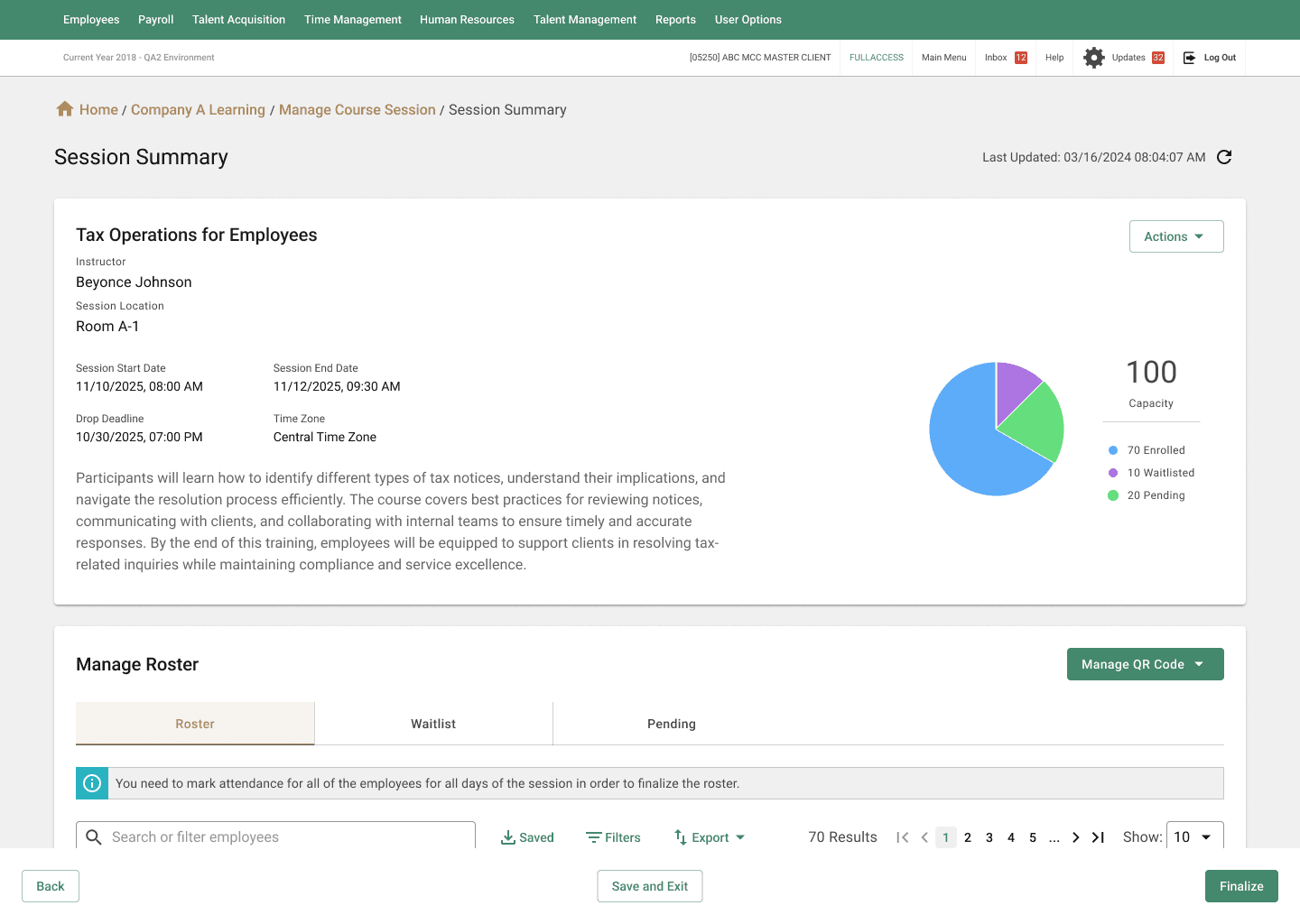
A flexible roster interface that enables trainers to take attendance, adjust participant details, and revise finalized rosters when needed — maintaining accuracy and control over every session record.
DELIVERABLES
FINAL OUTCOME
The redesign has been fully documented and delivered to engineering, and implementation is now underway. The updated workflows, layouts, and interaction patterns are being integrated into the LMS in phases to support a smooth rollout. As development progresses, the final solution will continue to mature through real-world use and iterative refinement.
SEE THE REDESIGNED EXPERIENCE IN ACTION
Below are the final high-fidelity interfaces representing the completed redesign.
USER FEEDBACK
Pilot testing and early stakeholder reviews highlighted clearer navigation and a more predictable session setup flow. Full administrator adoption is currently in progress, and qualitative and quantitative metrics will be collected once the redesign is fully deployed. These insights will guide future refinement and help validate the long-term impact of the solution.
*.·:·.✧ ✦ ✧.·:·.*